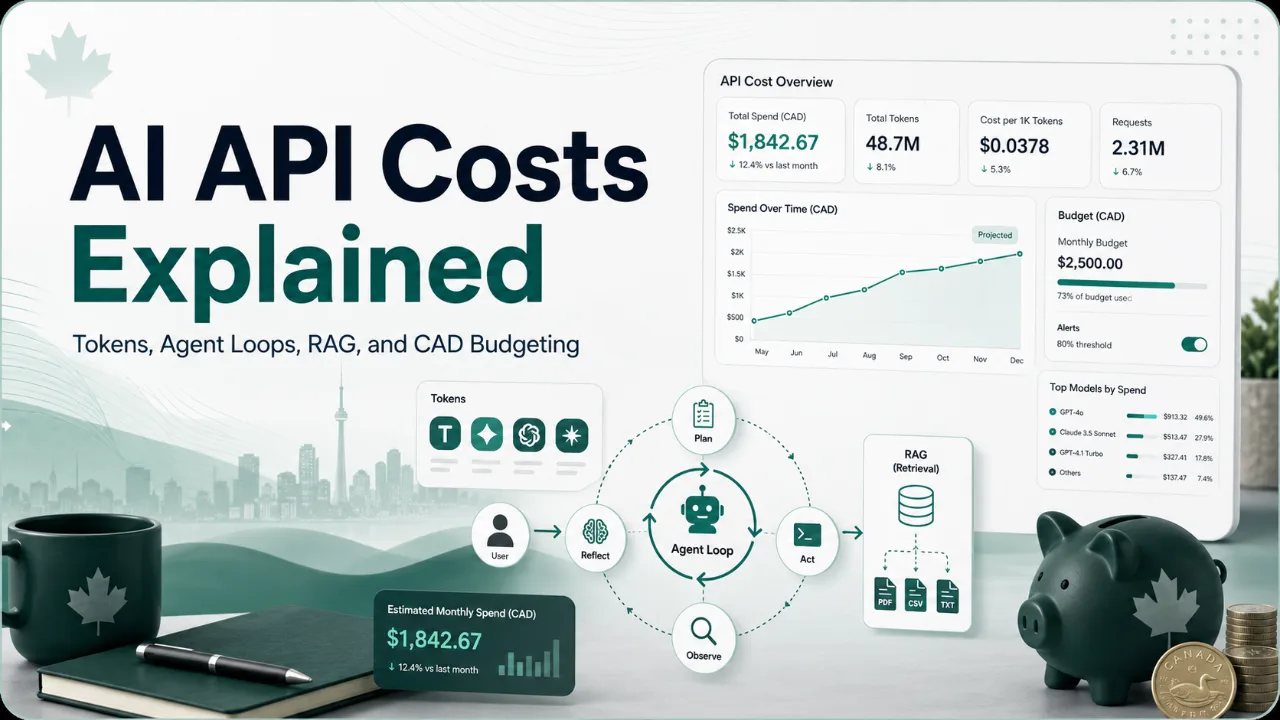
AI usage often feels cheap during the first prototype. A few test prompts, a small support bot, or an internal summarizer may cost very little while traffic is low. The problem is that production usage is not just a bigger version of the prototype. The system prompt grows, chat history is retained, documents are retrieved, users ask longer questions, and one visible action may trigger several model calls.
This guide explains the mechanics behind the AI Cost Calculator. It is meant for Canadian founders, operators, developers, and small-business teams who want a practical way to estimate spend before launching an AI feature. It does not recommend one AI vendor as best; it explains the cost drivers so you can compare scenarios more clearly.
Introduction: why AI costs can look small at first but grow quickly
A prototype usually has limited users, short prompts, few edge cases, and no real support burden. That makes early AI spend look harmless. Once the workflow becomes part of a real product or business process, every assumption gets pressure-tested by actual behaviour.
Users may ask longer questions than expected. The product may add guardrails, retrieval, tool calls, logging, moderation, fallback models, retries, or human review. Each addition can be reasonable on its own, but together they can change the cost curve.
The decision-first question is simple: which input can change the answer the most? For some products it is traffic. For others it is output length, agent loops, retrieved-document tokens, image calls, or support time. A useful budget should identify those fragile assumptions before launch.
The tradeoff: API vs subscription vs open-source/self-hosted models
API usage is flexible. You can integrate model calls into a product, meter usage, choose different models for different tasks, and build custom workflows. The tradeoff is variability. Your cost depends on real usage, token volume, model routing, retry behaviour, and provider pricing.
Subscription AI tools can be simpler when the use case is internal and seat-based. They may be easier for a team to adopt, but they may not fit a customer-facing product or a workflow that needs precise integration, data controls, or usage metering.
Open-source or self-hosted models can provide control, but they are not automatically cheaper. Infrastructure, GPUs, engineering time, evaluation, monitoring, security, privacy review, and maintenance can become the real budget. The right comparison is total operating cost, not only the headline model price.
| Approach | Useful when | Budget risk |
|---|---|---|
| API | You need product integration, usage metering, and model flexibility | Token growth, retries, agent loops, rate limits, provider pricing changes |
| Subscription | The workflow is mostly internal and predictable by seat | Per-seat scaling, usage limits, workflow fit, data policy |
| Open-source/self-hosted | You need control and have technical operating capacity | Hosting, engineering, security review, monitoring, maintenance |
Tokens explained: input tokens, output tokens, cached tokens, and why output usually costs more
AI providers often price usage by tokens. A token is a small unit of text. The exact token count depends on the model and tokenizer, but for planning purposes you can think of tokens as the pieces of text the model reads and writes.
Input tokens are what the model reads: user messages, system prompts, developer instructions, chat history, retrieved documents, tool results, examples, and structured data. Output tokens are what the model generates: answers, summaries, JSON, classifications, code, or explanations.
Output tokens often cost more because generation is computationally heavier than reading context. Cached tokens may cost less when a provider offers caching and when the same context can be reused under that provider's rules. Always verify current pricing and caching terms directly with official provider pricing pages before making commitments.
- Input tokens can grow when prompts include chat history, policies, documents, or tool outputs.
- Output tokens can grow when responses are verbose, structured, or generated in multiple drafts.
- Cached-token discounts depend on provider rules and should not be assumed unless verified.
- Different models can have different input/output prices, context windows, and billing details.
Agent loops explained: why one user request can become multiple model calls
An agent-style workflow may look like one answer to the user, but behind the scenes it can make several model calls. The system might classify intent, search documents, call tools, check whether the answer is complete, retry a failed step, and then generate a final response.
That is why the AI Cost Calculator includes an agent loop multiplier. A multiplier of 1 means one model call per visible request. A multiplier of 3 means each visible request becomes roughly three model calls. The user count can stay the same while the monthly model calls triple.
Agent loops are not bad. They may improve quality, reliability, and automation depth. The planning mistake is treating a multi-step workflow as if it were a single prompt and response.
RAG and long context explained: why retrieved documents and long prompts increase spend
RAG, or retrieval-augmented generation, adds relevant documents or snippets to the model prompt. This can make an answer more grounded, but retrieved text still has to be read by the model. That means retrieved documents usually increase input tokens.
Long context has a similar tradeoff. A larger context window can help the model use more information, but sending more information can raise cost and latency. If every request includes lengthy policy documents, product docs, chat history, and examples, input cost can become the main driver.
A more disciplined design may retrieve fewer documents, shorten snippets, cache stable context, summarize history, or route simple requests to cheaper flows. The budgeting question is not whether RAG is useful. It is how much context the task really needs.
CAD budgeting: USD pricing, exchange-rate movement, GST/HST/accounting caution, and Canadian business planning
Many AI providers publish prices in USD. Canadian businesses often earn revenue, pay salaries, and manage budgets in CAD. That mismatch matters. If USD costs rise against CAD, the Canadian-dollar cost can increase even when usage stays flat.
GST/HST, accounting treatment, tax deductibility, foreign exchange treatment, and procurement rules are separate questions. This article does not provide accounting or tax advice. Use it to build planning assumptions, then verify the financial treatment with a qualified professional where needed.
For Canadian planning, it is useful to keep the API estimate separate from the full operating estimate. Direct model cost is one line. Implementation time, employee training, privacy review, security review, monitoring, human-in-the-loop review, and support are separate lines that can matter just as much.
What could break the estimate
Request spikes can break a budget if the model is called on every user action without rate limits or product guardrails. Longer outputs can break a budget if answers become verbose, structured, or multi-step. Provider pricing changes can break a budget if the estimate is not revisited after launch.
Hidden implementation costs can also be material. A feature may need prompt engineering, evaluation, logging, monitoring, data-retention decisions, security review, privacy review, and human review workflows. These are not always visible in the API invoice.
Privacy and compliance deserve special attention. If the AI workflow touches customer data, employee data, financial information, or sensitive business documents, the decision is not only about tokens. It is also about data handling, review process, vendor terms, and organizational risk.
- Traffic or request spikes
- Longer outputs than expected
- More agent loops, retries, or tool calls
- Provider pricing, model, policy, or rate-limit changes
- Hidden implementation, monitoring, privacy, security, and human-review costs
How to use the AI Cost Calculator after reading
Start with the AI Cost Calculator and enter your best middle-case assumptions. Then change one variable at a time: monthly requests, input tokens, output tokens, agent loop multiplier, retrieved document tokens, image calls, CAD/USD rate, and subscription price.
After that, compare the estimate against the broader business decision. If the AI feature is customer-facing, ask whether your price, usage limits, or plan tiers can support the cost. If it is internal, compare the direct cost against time saved, training effort, and review burden.
Use the previous launch article for a higher-level product-planning walkthrough, then return to the calculator whenever pricing or usage assumptions change.
Next path: compare scenarios, document assumptions, revisit pricing quarterly
A good AI budget is not a single number. Build low, middle, and high scenarios. Document the assumptions behind each one. Note which provider pricing pages were checked and when.
Revisit pricing quarterly or before major product changes. AI pricing, models, context windows, caching policies, and usage patterns can change quickly. A budget that was reasonable during beta may be stale by the time the product scales.
If AI spend affects your own savings, emergency fund, or registered-account contributions, connect it back to broader planning. The Account Decision Tool and the broader tools library can help keep business spending and personal financial decisions separate but visible.